Software product · macOS

Life Manager Pro

Our own product — a native Mac app for meetings, tasks, projects, goals, journal, and CRM, with a meeting recorder that captures Teams, Zoom, Webex, and Google Meet calls without putting a bot in the room, and transcribes them on the machine. We built the application, the licensing and payment system behind it, the marketing site, and the SEO.

What we did

  • The application itself — Swift with Tauri and React
  • A meeting recorder that captures Teams, Zoom, Webex, and Google Meet calls without a bot joining the meeting
  • On-device transcription with Whisper — recordings are never uploaded to be turned into text
  • Optional AI summaries and action items, run against the customer’s own API key rather than ours, and off unless they turn it on
  • An MCP server, so Claude can work with the data locally
  • Local-first storage — data stays on the machine, with full export and no cloud account required
  • A licensing and purchase system built from scratch: license code generation, Stripe checkout and webhook handling, device activations, and analytics
  • Perpetual licensing with a 12-month update window, rather than a subscription
  • Notarized direct distribution with its own auto-update channel
  • The marketing site — design, build, copy, and SEO
  • An interactive product tour: 33 screenshots across 10 sections, with light and dark modes
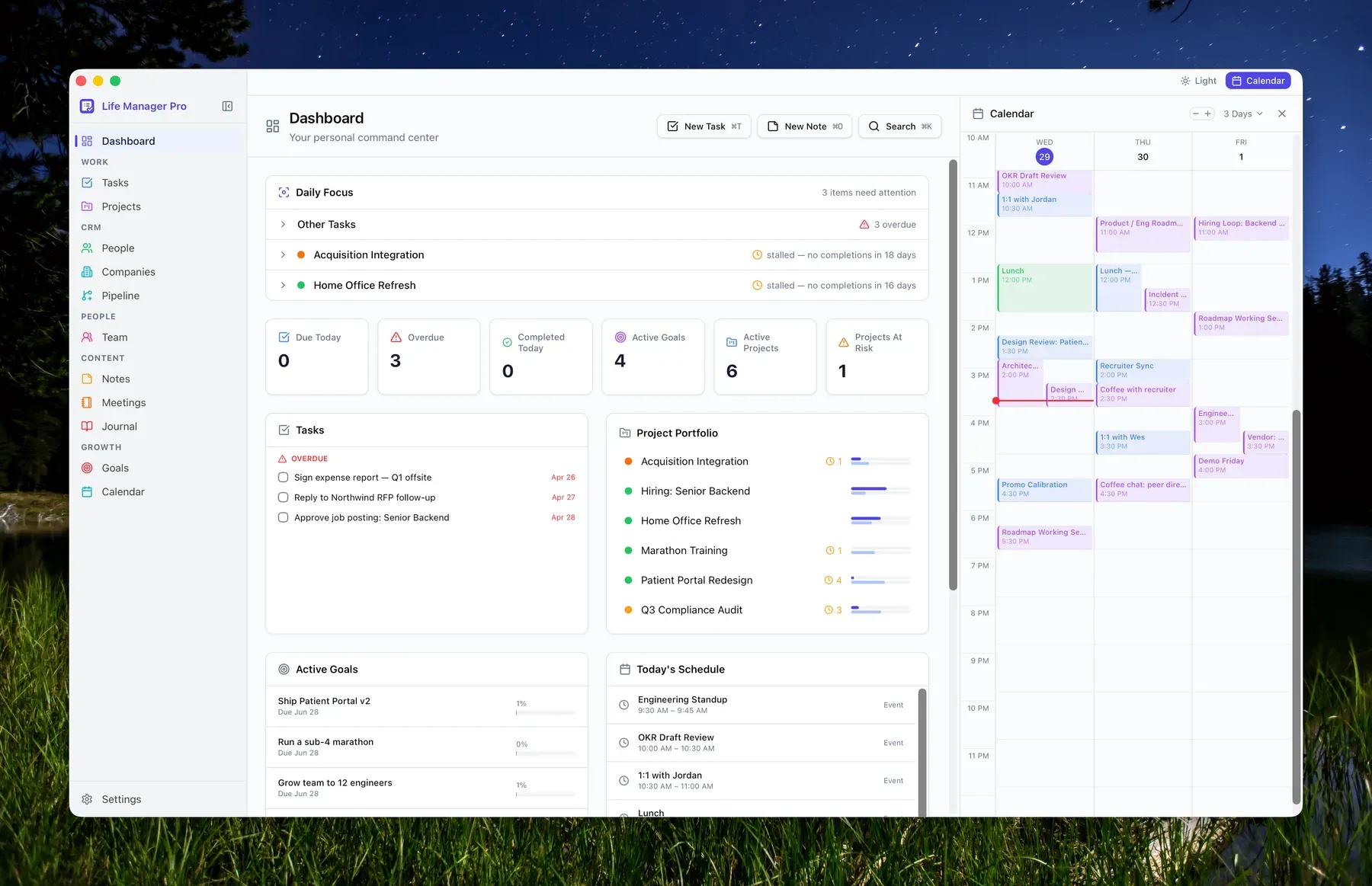
The Life Manager Pro dashboard: a sidebar grouping Tasks and Projects under Work, People and Companies and Pipeline under CRM, and Notes, Meetings and Journal under Content; a daily focus list flagging stalled projects; counters for due, overdue and active items; and a three-day calendar panel down the right.
The dashboard. Meetings, tasks, projects, CRM, journal, and goals are one app rather than six, which is the whole premise — and the reason the data model was the hard part.
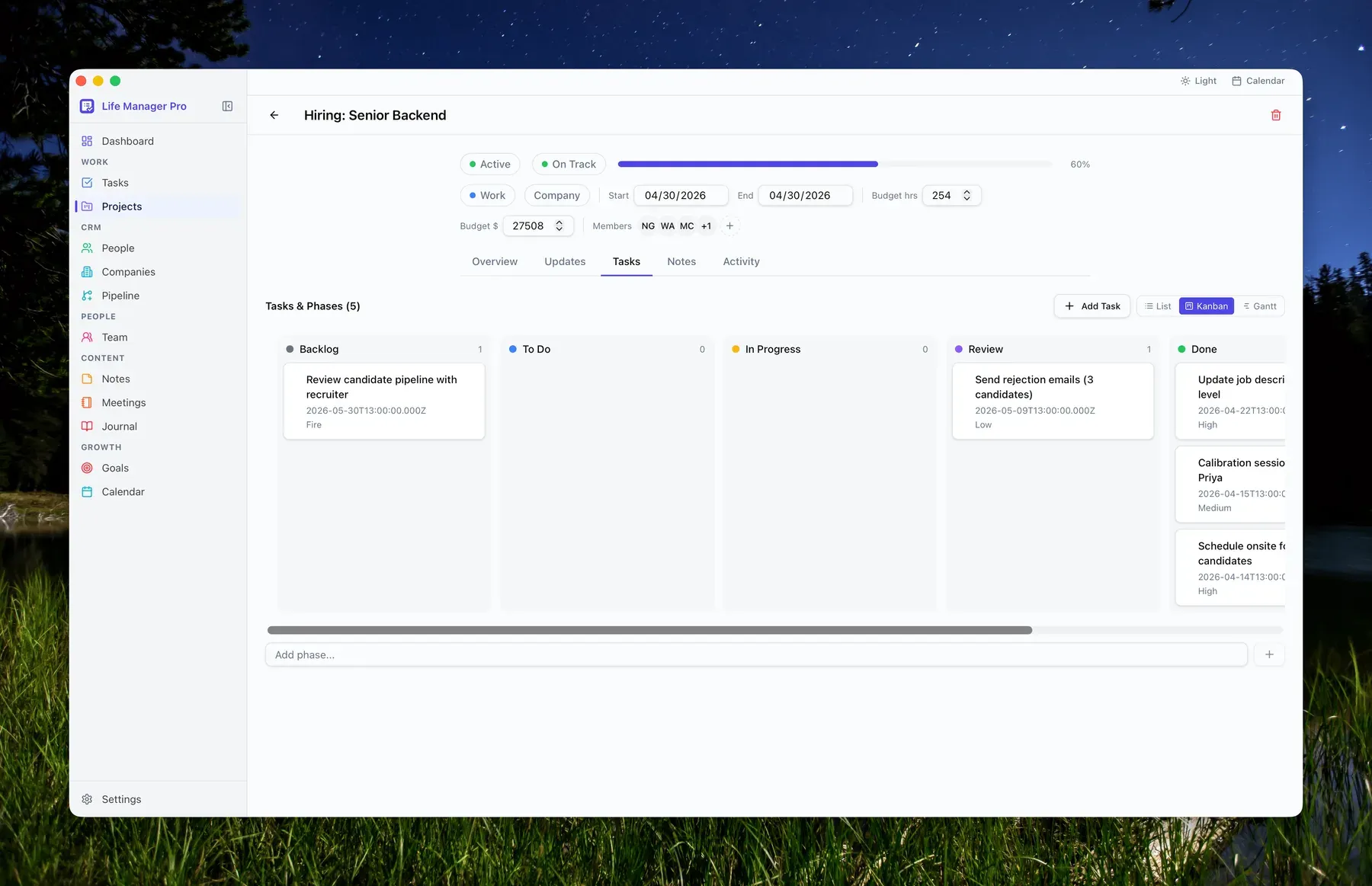
A project detail view for “Hiring: Senior Backend” showing status, dates, budget and members, with a Tasks tab displaying a kanban board of Backlog, To Do, In Progress, Review and Done columns, and List, Kanban and Gantt view options.
The same tasks as a list, a kanban board, or a Gantt chart. Three views over one dataset, all rendered locally.
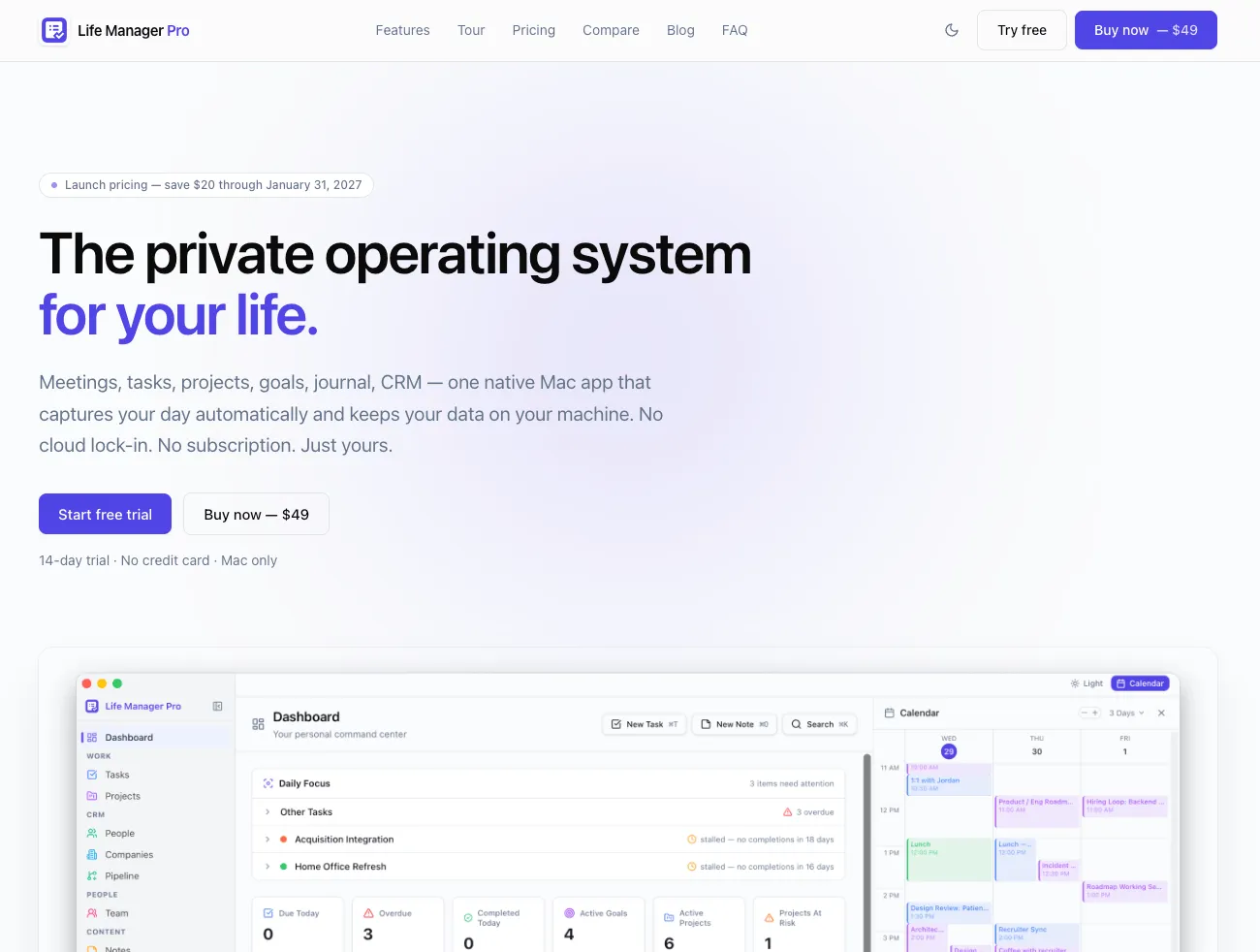
The Life Manager Pro home page: a headline reading “The private operating system for your life”, a launch-pricing badge, Start free trial and Buy now buttons, and a screenshot of the app dashboard showing a task sidebar, daily focus list, counters, and a calendar.
The home page. Positioning, price, and the actual interface in one screen — a paid app has to answer “what is it” and “what does it cost” before anything else.
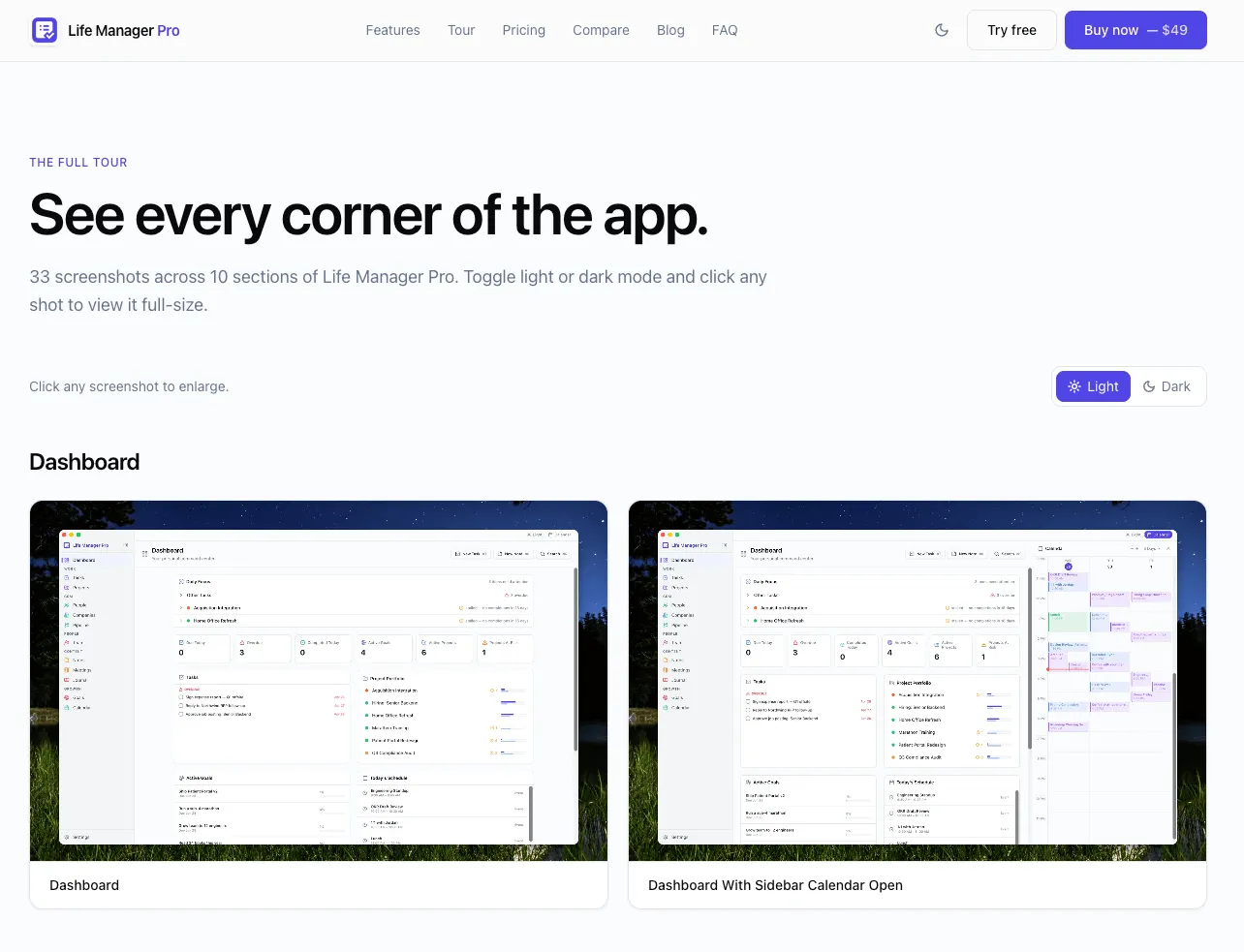
A page headed “See every corner of the app” with a light and dark mode toggle above a grid of app screenshots labeled Dashboard and Dashboard With Sidebar Calendar Open.
The product tour: 33 screenshots across 10 sections, in light and dark, each one enlargeable. Nobody buys software they have not seen.
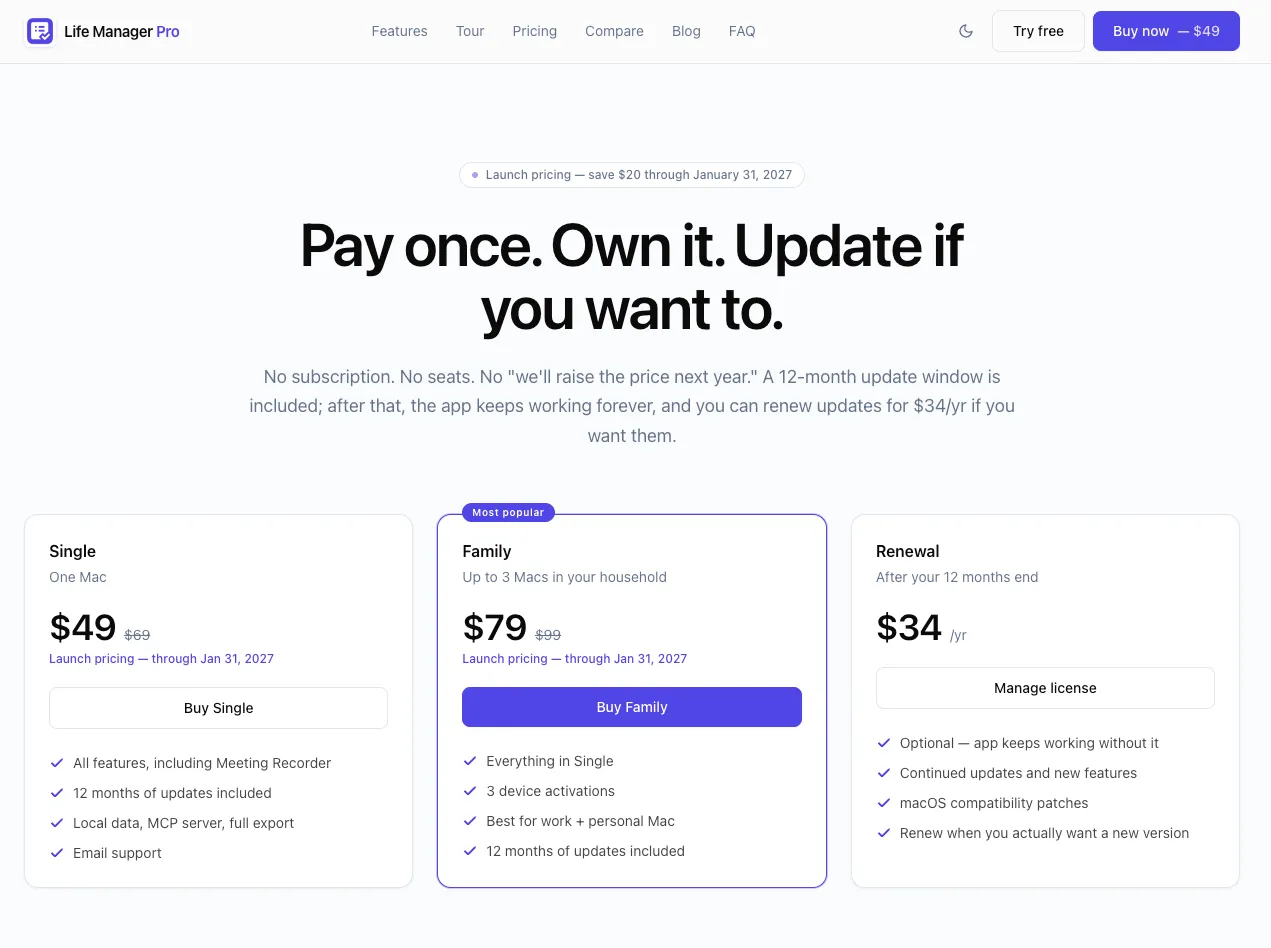
The pricing page headed “Pay once. Own it. Update if you want to.” with three cards — Single at $49 for one Mac, Family at $79 for up to three Macs, and an optional $34 per year renewal.
Pricing. A perpetual license with optional renewals rather than a subscription, which changes what the page has to explain.

Start here

Tell us what you need built.

You’ll get a real reply from the person who would do the work — not a sales rep and not an automated sequence.